
Our Dining Table Became a Desk: The 9 Things That Made It Work
Two years of working from the dining table left us with a sore neck and a nest of cables. The weekend we turned one corner of the flat into a real desk.
9 products8 min read
Two years at the wrong end of the table
We started working from home in a hurry, like everyone did, and the laptop went on the dining table because that was where the laptop was. Two years later it was still there. We ate at the other end. The chair was a dining chair. There was a lamp from the bedroom that went back and forth every night, and a power strip under the chair that one of us kicked out of the wall roughly once a week.
Our necks hurt by three o’clock. We knew why. We just never had a weekend with nothing else in it, until a wet one in early October when we did.
We wrote down the four things that were actually wrong — the laptop was too low, the screen was too low, the light was wrong, the cables were everywhere — and we fixed them in that order over two days. This is what we bought, in the order it appeared.
Saturday morning — getting the laptop off the table
The first problem was the simplest. A laptop on a flat table puts the screen a foot below your eyes, so you spend eight hours looking down. We had a wireless keyboard and mouse in a drawer from an old desktop; what we didn’t have was anything to put the laptop on.
The stand that lifted the screen six inches
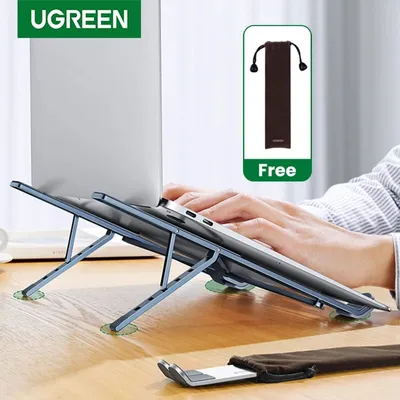
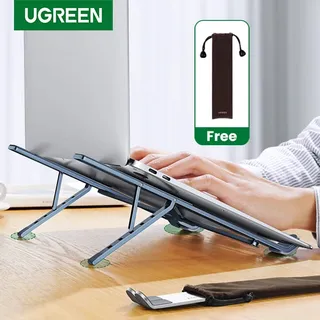
The UGREEN foldable aluminium laptop stand, about $24, lifts a 15-inch laptop so the top of the screen is about level with your eyes and tilts the keyboard toward you, which you will not use because the keyboard is now too high. That is the point: it turns the laptop into a monitor, and the old keyboard and mouse come out of the drawer. It folds flat into a slab the size of a paperback, so on Sunday night the table could go back to being a table. The rubber feet are small and it slides a little on a glossy tabletop; ours sat on the wood and stayed put.
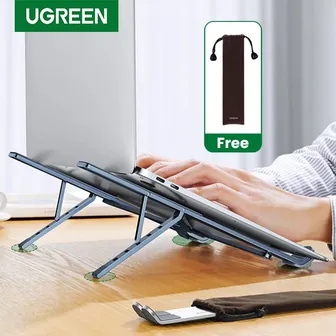
UGREEN Foldable Aluminium Laptop Stand
$23.83
The pad that stopped the wrist ache
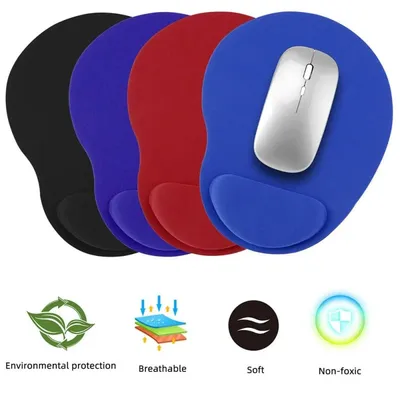
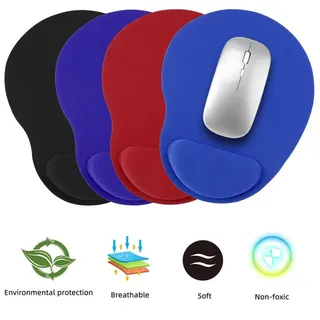
The memory foam wrist rest mouse pad, about $23, was the thing we hadn’t planned to buy. The old mouse had lived on the bare table, and by eleven on Saturday the heel of one hand was already sore from the table’s edge. The pad has a raised foam bump under the wrist and a cloth surface that a cheap wireless mouse tracks fine on. It is not a serious gaming surface and the foam softens in a warm room, but for a day of spreadsheets and email it took the edge off, literally.
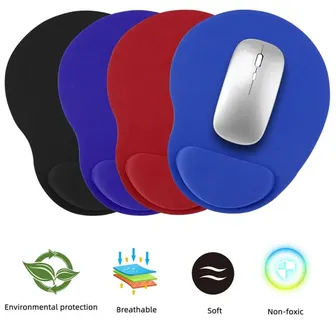
Memory Foam Wrist Rest Mouse Pad
$23.39
By lunchtime we had a laptop on a stand and a keyboard on a pad, and we felt like we had done the hard part. Then one of us remembered the monitor in the cupboard.
Saturday afternoon — the neck and the eyes
There was a 24-inch monitor from a previous job in the hall cupboard. We had never used it at the table because it would have taken up the whole table. On a corner that was now a desk, it was suddenly the obvious thing, and it brought two new problems: it sat too low, and it made the whole corner dark.
The riser that made room under the screen
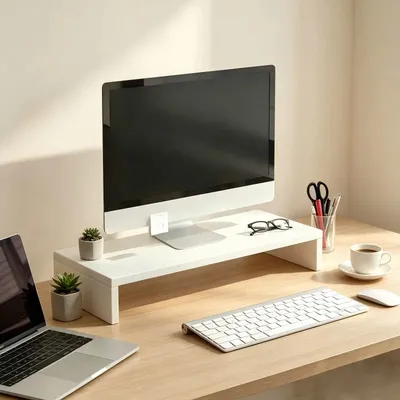
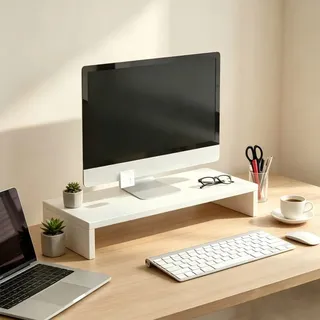
The monitor riser stand with a keyboard shelf, about $13, is a white plastic shelf that lifts the monitor about four inches and leaves a slot underneath. The four inches put the top of the screen at eye height, which is the whole job. The slot was a bonus we hadn’t thought about: at six o’clock the keyboard slides under the screen and the corner is a corner again. It is plastic, and it flexed a little when we put the monitor on; for anything heavier than a 27-inch screen we’d want something in wood or steel.
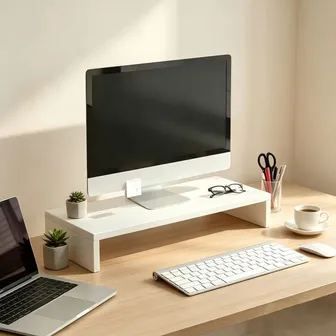
Monitor Riser Stand with Keyboard Shelf
$12.75
The light bar that stopped our eyes hurting
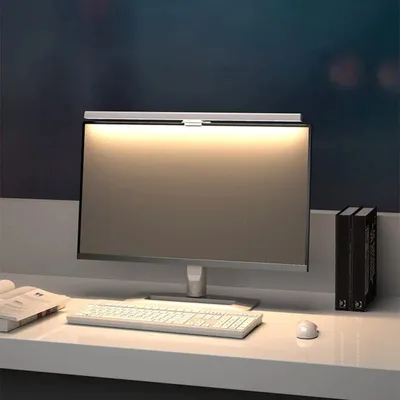
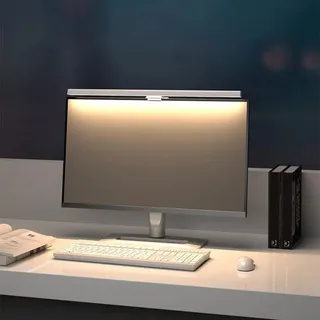
The HOMEFISH 50cm monitor light bar, about $17, clips onto the top edge of the monitor and throws light down onto the desk and keyboard without putting any on the screen. We switched it on at about four, as the room got dim, and the difference was immediate: the screen stopped being the only bright thing in the room, and the headache that usually arrived at five did not. It runs off USB, so it took one of the ports on the extension cord we bought that evening. The clamp wants a bezel with a little depth; it would not sit on a very thin laptop lid, which is another reason the old monitor earned its place.
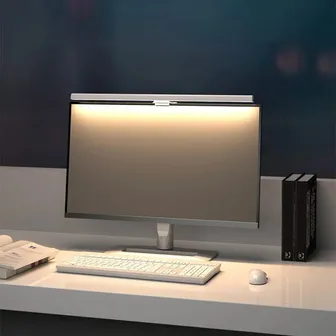
HOMEFISH 50cm Monitor Light Bar (USB, Dimmable)
$17.49
We stopped for dinner at the other end of the table and looked at what we’d made. From the front it was a desk. From the side it was a monitor, a laptop, a light bar and a phone, all plugged into a power strip under a chair.
Saturday evening — the cables
We had been kicking that power strip out of the wall for two years, and the reason was simple: it was on the floor in the middle of the room because the wall socket was behind the table and the strip’s plug was too fat to fit behind the table leg. The fix was one object.
The flat plug that fit behind the table
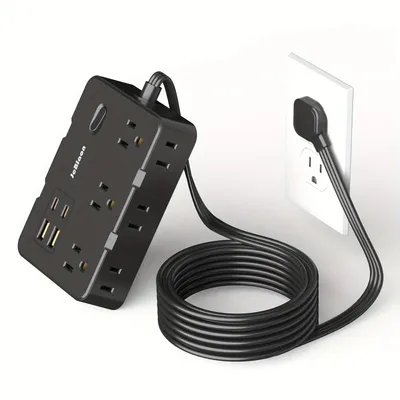
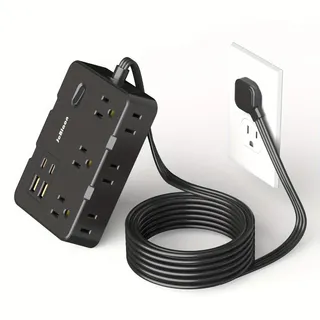
The flat-plug extension cord with four USB ports, about $14, has a plug that sits flush against the wall, so the table can go back against it. Five feet of cord reaches the corner, two mains outlets take the monitor and the laptop brick, and the four USB ports — two of them USB-C — took the phone, the light bar and the desk lamp without any of their own adaptors. One cord to the wall instead of four, and nothing on the floor to kick. It is US-plug only, which was fine for us; if you are elsewhere, check the listing. We used a few of the reusable ties we already had to bundle the slack behind the table leg, and that was the whole cable job.
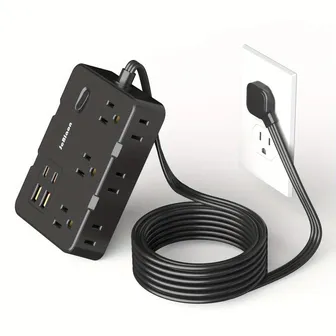
Flat-Plug Extension Cord with 4 USB Ports (5 ft)
$14.05
That was Saturday. We’d fixed the four things on the list. Sunday was for the things that weren’t on it.
Sunday — the small comforts
Sunday morning we sat down at the corner with coffee and realised it worked but didn’t feel like ours. The bedroom lamp was still there. Our feet dangled off a dining chair. The headphones were on the keyboard again. None of this was a problem; all of it was why we’d never wanted to sit there.
The lamp that let the bedroom have its lamp back
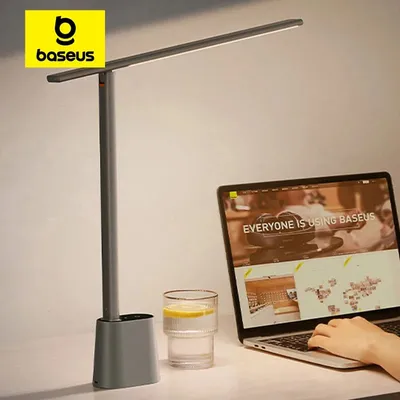
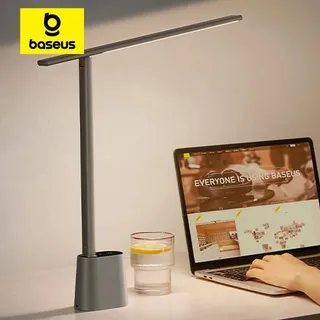
The Baseus foldable LED desk lamp, about $36, is a proper reading lamp with a folding arm and stepless dimming from warm to cool. It lives on the paper side of the desk, the side the light bar doesn’t reach, and it is what we read under in the evening and what makes the corner look like a room when the overhead light is off. It is the most expensive thing we bought and the one we debated longest; the bedroom lamp did the job. But the bedroom lamp went back to the bedroom on Sunday afternoon and has stayed there, which tells you something. The head is small, so it is a lamp for a page, not for a wall.
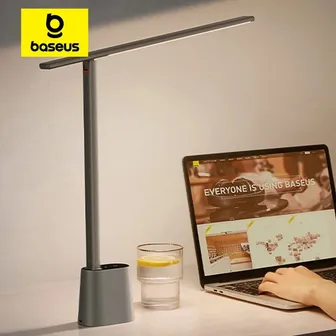
Baseus Foldable LED Desk Lamp (Dimmable)
$35.59
The footrest for a chair that was never a desk chair
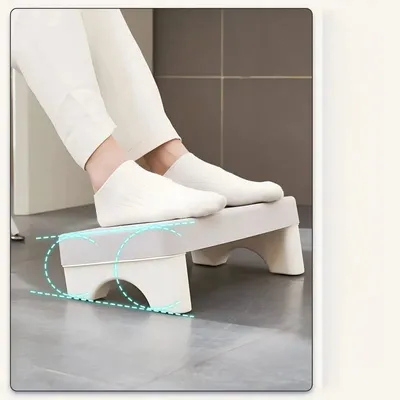
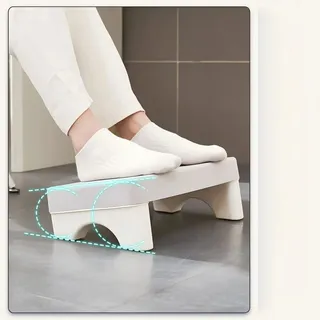
The under-desk footrest, about $9, is an angled plastic wedge that gives your feet somewhere to be when the chair is a dining chair and the table is a dining table, which is to say two inches too tall. One of us is short enough that this changed how the whole setup felt; the other one uses it as a place to rock a foot while thinking. It is light enough to kick across the room by accident, and it does not adjust, but at this price it is the cheapest fix for a sore lower back we know of.
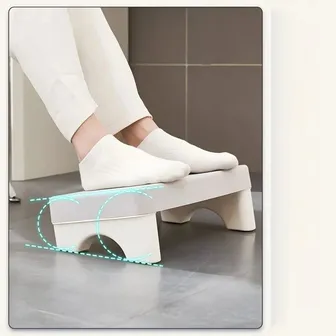
Ergonomic Under-Desk Footrest
$9.49
The tray that caught the small things
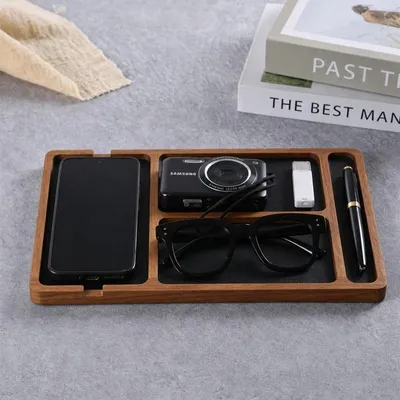
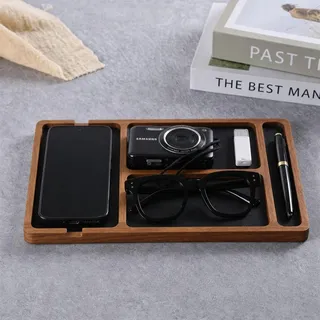
The solid wood desktop storage tray, about $13, is a walnut-coloured tray with slots for a phone, glasses, pens and a USB stick. On a shared dining table the small things had always drifted toward the food end; now they have a place, and the phone has a place that is not face-up next to the keyboard. It takes up about the footprint of a half-sheet of paper, which on a small desk is a real decision. We decided in its favour.
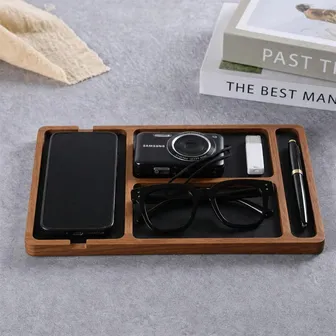
Solid Wood Desktop Storage Tray with Dividers
$13.39
The hook that said this was a desk now
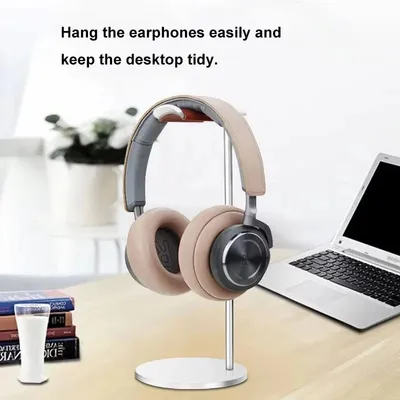
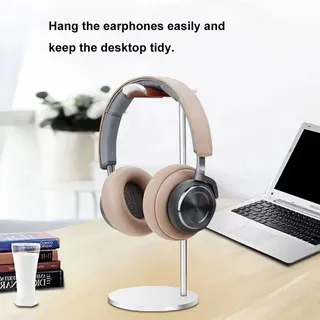
The curved aluminium headphone stand, about $8, is a bent piece of metal that holds a pair of headphones. It does nothing a nail in the side of the table wouldn’t do. We bought it anyway, because the headphones on the keyboard were the last thing that made the corner look temporary, and for eight dollars a thing that looks permanent is cheap.
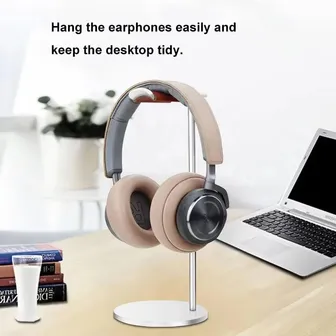
Curved Aluminium Headphone Stand
$8.19
We worked the next Monday from the corner, with the lamp on and our feet on the wedge, and at three o’clock nobody’s neck hurt. We ate dinner at the other end of the table with the keyboard under the monitor and the stand folded in the drawer. It had taken two years and one weekend.
What we’d leave at home
Everything in this story
UGREEN Foldable Aluminium Laptop Stand
$23.83
Memory Foam Wrist Rest Mouse Pad
$23.39
Monitor Riser Stand with Keyboard Shelf
$12.75
HOMEFISH 50cm Monitor Light Bar (USB, Dimmable)
$17.49
Flat-Plug Extension Cord with 4 USB Ports (5 ft)
$14.05
Baseus Foldable LED Desk Lamp (Dimmable)
$35.59
Ergonomic Under-Desk Footrest
$9.49
Solid Wood Desktop Storage Tray with Dividers
$13.39
Curved Aluminium Headphone Stand
$8.19
Everything here comes to about $158. Prices in USD; they move a little from week to week.
Frequently asked questions
What do I need to turn a dining table into a home office?
Three things first: a stand to lift the laptop, a separate keyboard and mouse so your wrists stay flat, and a riser or stand that puts the screen at eye level. After that, light and power. Our full corner came to about $158, and the first three things were about $60 of it.
Is a cheap laptop stand good enough?
Yes, if it is aluminium and folds. The one in this story cost about $24, holds a 15-inch laptop without wobbling and folds flat into a drawer. The thing to avoid is a plastic stand with a fixed angle, which will be the wrong angle.
Do I need a monitor light bar or a desk lamp?
If you work at a screen after dark, the light bar first. It lights the desk without putting glare on the display, and it is the change that stopped our eyes aching. A desk lamp is for paper, and for making the corner feel like a room.
How do I hide cables under a dining table?
Push the table to the wall, run one extension cord with a flat plug behind it, and plug everything into that. One cord to the wall instead of four is most of the battle; we did not manage a perfectly tidy result, but we stopped kicking plugs out.
How far ahead should I order?
Two to three weeks. Most of this gear ships from overseas and takes a week to three to arrive, and you will want to set it up on a weekend rather than a Monday morning.